> For the complete documentation index, see [llms.txt](https://ferdowsur.gitbook.io/modular-3d-text/llms.txt). Markdown versions of documentation pages are available by appending `.md` to page URLs; this page is available as [Markdown](https://ferdowsur.gitbook.io/modular-3d-text/ui/slider.md).
# Slider
*The toggle is a part of the* [*3D UI System for Unity*](https://assetstore.unity.com/packages/3d/gui/modular-3d-text-in-game-3d-ui-system-247241?aid=1011ljxWe\&utm_source=aff) *that is used to create sliders and progressbar.*
{% content-ref url="/pages/KZFjoW0wy61ozzgofroz" %}
[Script documentation](/modular-3d-text/ui/slider/script-documentation.md)
{% endcontent-ref %}
##
## *Inspector*
***Note**: You can hover your mouse and check tooltips for information.*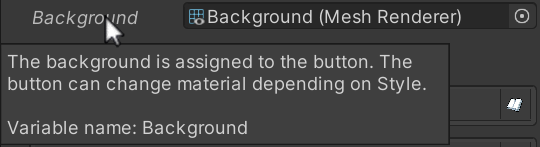 
### *Visual*

### *Events*

### *Value Range Events*
*When the slider value falls within the range that spans from the min value to the max value, events are triggered.* \
*The calculation considers both the min and max values.* \
*These values can be both a percentage number or a specific current value of the slider.*
*It evaluates value from top to bottom. The first range that matches the value is called, even if there are other ranges that also match.*
### *Input*
*By default, the input isn't added to the slider. If you click the button, it adds all the appropriate scripts with the correct settings automatically.*


### *Visual*

### *Events*

### *Value Range Events*
*When the slider value falls within the range that spans from the min value to the max value, events are triggered.* \
*The calculation considers both the min and max values.* \
*These values can be both a percentage number or a specific current value of the slider.*
*It evaluates value from top to bottom. The first range that matches the value is called, even if there are other ranges that also match.*
### *Input*
*By default, the input isn't added to the slider. If you click the button, it adds all the appropriate scripts with the correct settings automatically.*
